
Microsoft Excel is a powerful tool—but most people only use a fraction of what it can do. Whether you’re a student, employee, or business owner, these simple Excel hacks can boost your productivity instantly.
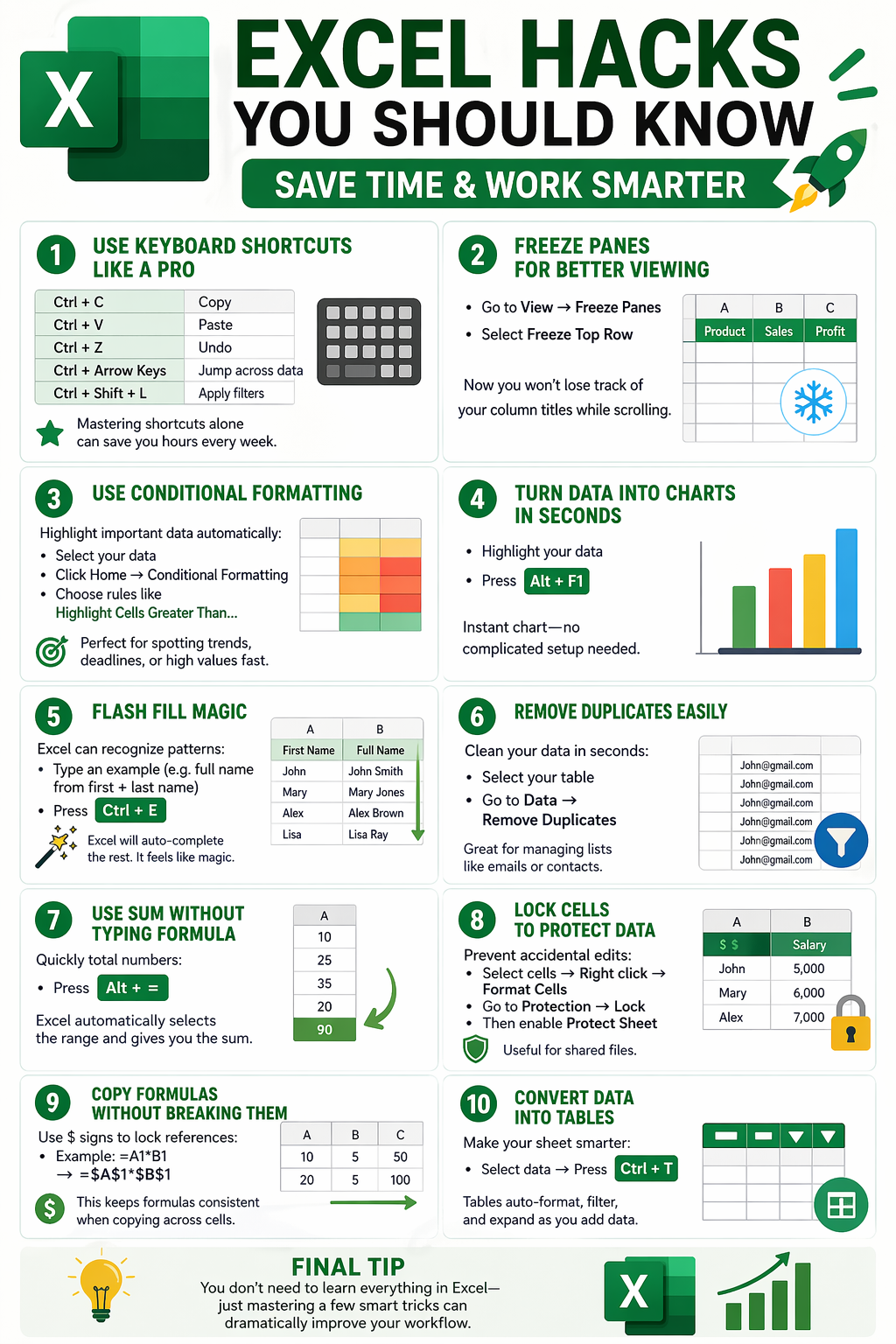
1. Use Keyboard Shortcuts Like a Pro
Skip the mouse and work faster with these shortcuts:
Ctrl + C / Ctrl + V – Copy & Paste
Ctrl + Z – Undo mistakes
Ctrl + Arrow Keys – Jump across data quickly
Ctrl + Shift + L – Apply filters instantly
Mastering shortcuts alone can save you hours every week.
2. Freeze Panes for Better Viewing
Got long data sheets? Keep headers visible.
Go to View → Freeze Panes
Select Freeze Top Row
Now you won’t lose track of column titles while scrolling.
3. Use Conditional Formatting
Highlight important data automatically.
Select your data
Go to Home → Conditional Formatting
Choose rules like “Highlight Cells Greater Than…”
Perfect for spotting trends, deadlines, or high values quickly.
4. Turn Data into Charts in Seconds
Make your data visual in one step.
Highlight your data
Press Alt + F1
An instant chart is created without manual setup.
5. Flash Fill Magic
Excel can recognize patterns automatically.
Type an example (like full name from first + last name)
Press Ctrl + E
Excel will complete the rest for you.
6. Remove Duplicates Easily
Clean your data in seconds.
Select your table
Go to Data → Remove Duplicates
Great for managing emails, contacts, or lists.
7. Use SUM Without Typing Formula
Quickly total numbers.
Press Alt + =
Excel automatically selects the range and calculates the sum.
8. Lock Cells to Protect Data
Prevent accidental edits in shared files.
Select cells → Right click → Format Cells
Go to Protection → Lock
Then enable Protect Sheet
9. Copy Formulas Without Breaking Them
Use $ signs to lock references.
Example: =A1B1 becomes =$A$1$B$1
This keeps formulas consistent when copying across cells.
10. Convert Data into Tables
Make your sheet smarter and easier to manage.
Select data → Press Ctrl + T
Tables auto-format, filter, and expand as you add data.