
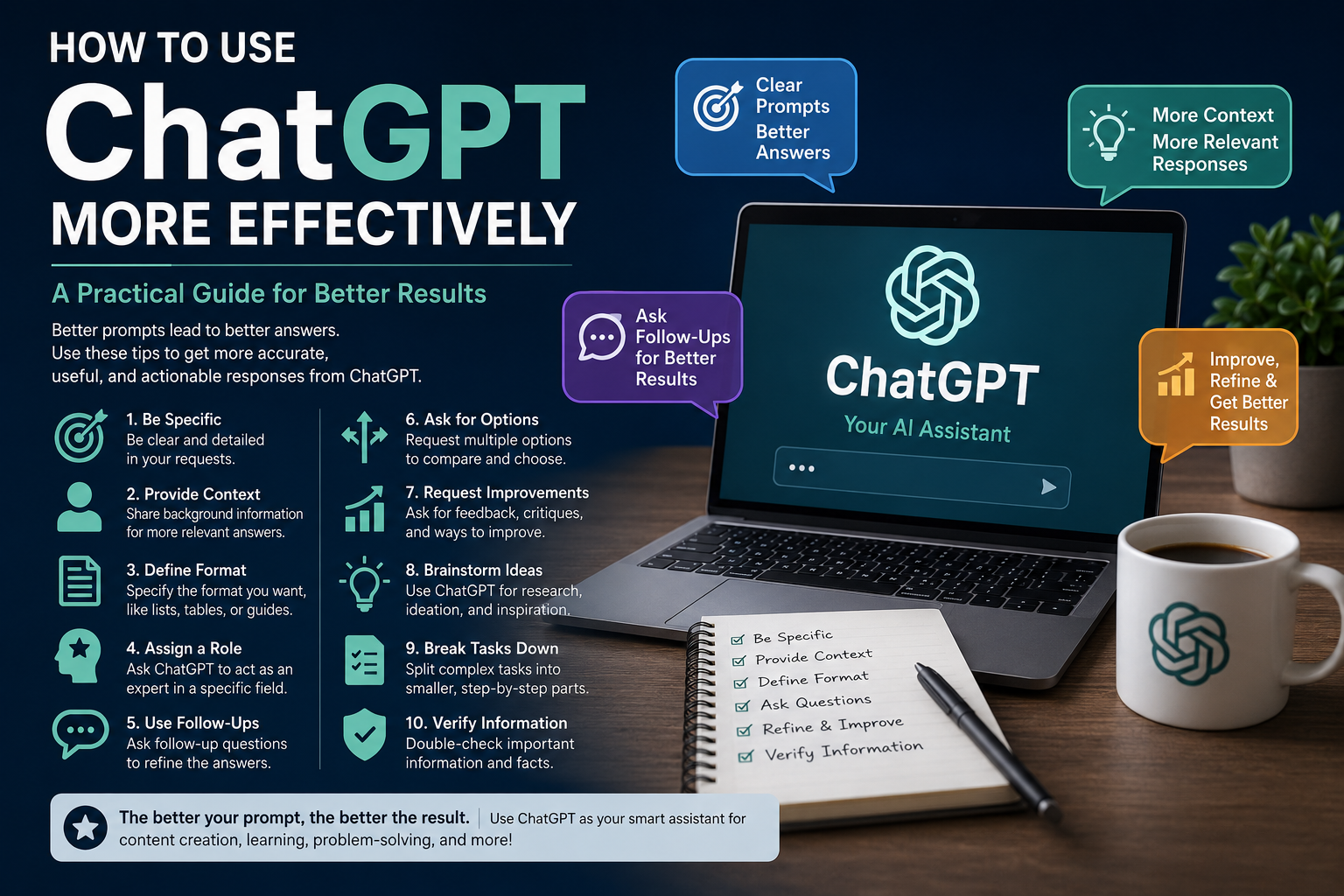
Artificial intelligence tools like ChatGPT can save time, improve productivity, and help solve problems faster. However, many users only scratch the surface of what ChatGPT can do. The quality of the answers you receive often depends on how you ask your questions.
This guide will help you get more accurate, useful, and actionable responses from ChatGPT.
1. Be Specific With Your Requests
One of the most common mistakes is asking vague questions.
Instead of:
- “Write an article about marketing.”
Try:
- “Write a 1,000-word beginner-friendly article about digital marketing trends in 2026 with actionable examples.”
The more context you provide, the better ChatGPT can tailor its response.
2. Provide Background Information
ChatGPT performs best when it understands your situation.
Example:
- “I run a WordPress blog focused on ad tech. Suggest 10 SEO-friendly article ideas that can attract publishers and website owners.”
This produces much more relevant suggestions than simply asking for article ideas.
3. Define the Desired Format
Tell ChatGPT exactly how you want the information presented.
Examples:
- Bullet points
- Tables
- Step-by-step guides
- Checklists
- FAQs
- Social media posts
- Email templates
Example Prompt:
“Create a comparison table between Google AdSense and header bidding.”
4. Assign a Role
You can ask ChatGPT to respond as an expert in a particular field.
Examples:
- “Act as an SEO consultant.”
- “Act as a WordPress developer.”
- “Act as a digital marketing expert.”
This helps focus the response on the perspective you need.
5. Use Follow-Up Questions
You don’t need to start over if the first response isn’t perfect.
Try:
- “Make this simpler.”
- “Expand section 3.”
- “Add examples.”
- “Rewrite for beginners.”
- “Convert this into a checklist.”
Think of ChatGPT as a conversation rather than a one-time search engine.
6. Ask for Multiple Options
Instead of requesting a single answer, ask for several alternatives.
Example:
“Give me 10 domain name ideas for a DNS checker website.”
This allows you to compare options and choose the best one.
7. Request Criticism and Improvements
ChatGPT can review your work and suggest enhancements.
Examples:
- “Review my landing page copy and suggest improvements.”
- “Analyze this article for SEO weaknesses.”
- “Find any grammatical errors in this text.”
This can be especially useful for content creators, bloggers, and business owners.
8. Use ChatGPT for Research and Brainstorming
ChatGPT can help generate ideas quickly.
Popular use cases include:
- Blog topic ideas
- Product names
- Domain names
- Marketing campaigns
- Content outlines
- Business strategies
- Social media captions
Even if you don’t use the suggestions directly, they can spark better ideas.
9. Break Complex Tasks Into Smaller Steps
Large requests often produce average results.
Instead of asking:
“Build my entire content strategy.”
Try:
- Identify my audience.
- Suggest content categories.
- Create article topics.
- Build a publishing schedule.
- Generate article outlines.
Breaking tasks into stages usually delivers higher-quality output.
10. Verify Important Information
While ChatGPT is powerful, it can occasionally make mistakes or provide outdated information.
Always verify:
- Legal advice
- Medical information
- Financial recommendations
- Statistics
- Technical specifications
For critical decisions, use trusted sources and professional guidance.
Example of a Good Prompt
Instead of:
“Write about SEO.”
Try:
“I own a technology blog. Write a 1,500-word beginner-friendly article explaining technical SEO in 2026. Include examples, a checklist, common mistakes, and an FAQ section.”
Notice how much more detail is provided.