
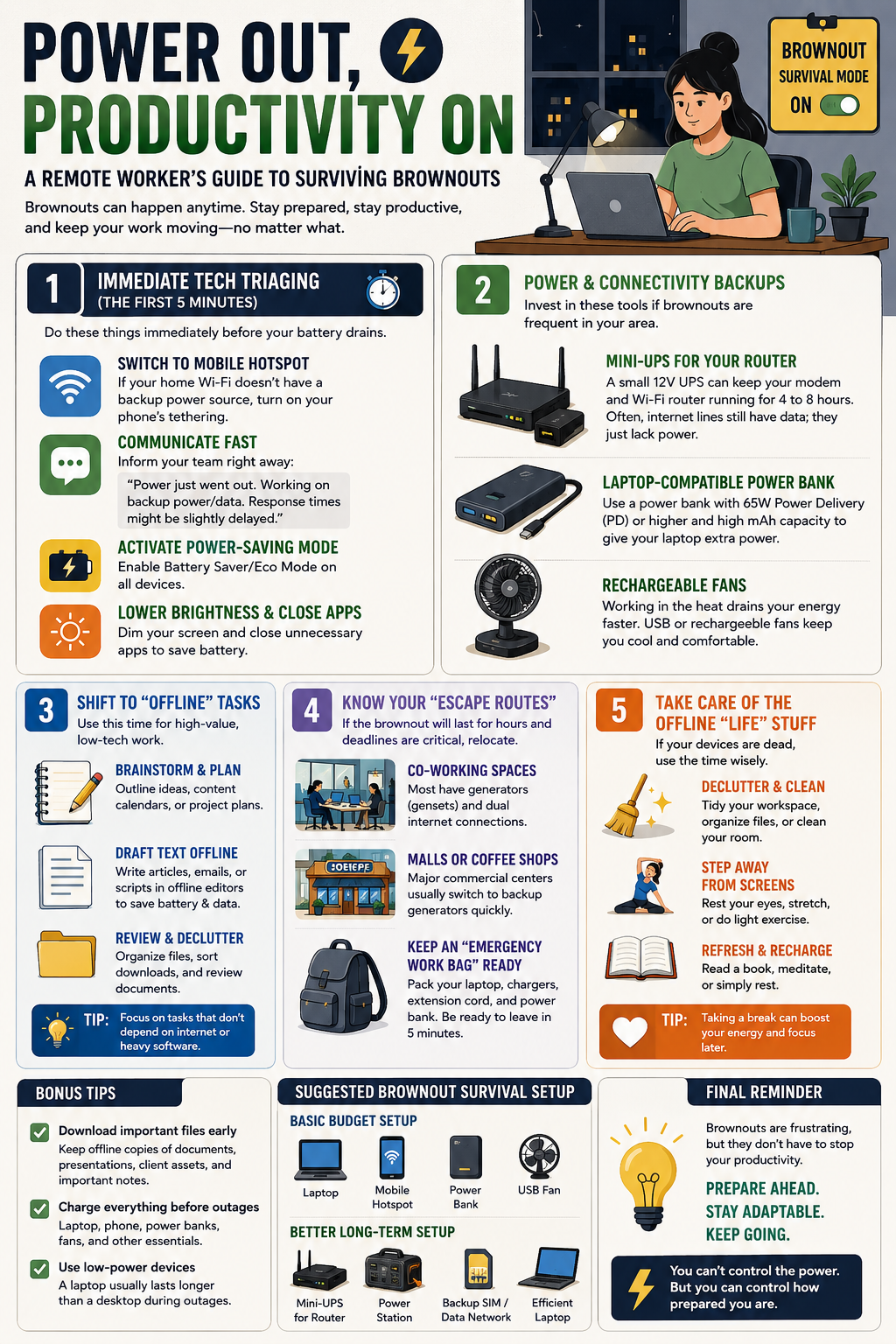
Working from home during a brownout or rotational power outage can be stressful — especially when deadlines, meetings, or client work are involved. The good news is that productivity doesn’t have to stop completely.
The key is preparation, smart power management, and knowing how to adapt your workflow when the electricity goes down.
Here’s a practical survival guide for remote workers dealing with brownouts.
⚡ 1️⃣ Immediate Tech Triaging (First 5 Minutes)
If the power suddenly goes out, act quickly before your batteries drain.
Immediate Actions:
📱 Switch to mobile hotspot if your Wi-Fi router has no backup power
💬 Inform your team immediately through Slack, Teams, Viber, or email
🔋 Turn on battery-saving mode on all devices
🌙 Lower screen brightness
❌ Close unnecessary apps and browser tabs
A quick message like this helps manage expectations:
“Power outage here right now. I’m working on backup power and mobile data. Responses may be slightly delayed.”
Early communication reduces stress and confusion.
🔌 2️⃣ Prepare Backup Power & Internet
If brownouts happen regularly in your area, a few backup tools can make a huge difference.
Essential Backup Tools
🔋 Mini-UPS for Router
A small 12V UPS can keep your modem and router running for several hours.
💡 In many areas, internet service still works during brownouts — your router simply has no power.
🔋 Laptop-Compatible Power Bank
Not all power banks can charge laptops.
Look for:
- 65W USB-C Power Delivery (PD) or higher
- High-capacity battery (mAh)
- Laptop compatibility
🌬️ Rechargeable Fans
Heat quickly destroys focus and productivity during outages.
USB or rechargeable desktop fans can make remote work much more comfortable.
🧠 3️⃣ Shift to Offline Tasks
Don’t waste limited battery and mobile data on heavy online tasks if you don’t have to.
Use brownout periods for lower-power work.
Great Offline Tasks:
✍️ Brainstorm ideas
🗂️ Plan future projects
📝 Draft articles or emails offline
📅 Build content calendars
📂 Organize desktop files and folders
📚 Review downloaded documents
Simple text editors use far less battery than large browser tabs or editing software.
🏃 4️⃣ Know Your “Escape Routes”
If the outage will last several hours and deadlines are critical, relocating may be the best option.
Good Backup Work Locations:
☕ Coffee shops with generators
🏢 Co-working spaces
🛍️ Malls with stable power and Wi-Fi
📚 Libraries or study hubs
Prepare an Emergency Work Bag
Keep these ready at all times:
💻 Laptop
🔌 Chargers
🔋 Power bank
🔌 Extension cord
🎧 Headset
📱 Mobile data backup
The goal is to leave home and start working elsewhere within minutes.
🧹 5️⃣ Handle Offline Life Tasks
Sometimes your batteries eventually die — and that’s okay.
Instead of stressing over what you can’t control, use the downtime productively.
Useful Non-Digital Tasks:
🧹 Clean your workspace
📂 Organize paperwork
🧘 Stretch or exercise
👀 Rest your eyes from screens
🚶 Take a short walk
🛏️ Recharge mentally
A forced break can actually improve energy and focus once power returns.
💡 Bonus Tips for Remote Workers During Brownouts
✅ Download Important Files Early
Keep offline copies of:
- Documents
- Presentations
- Client assets
- Passwords or notes
✅ Charge Everything Before Storms or Scheduled Outages
Don’t wait until the power cuts.
Charge:
- Laptop
- Phone
- Power banks
- Rechargeable lights and fans
✅ Use Low-Power Devices When Possible
A laptop usually lasts longer than a desktop PC during outages.
Tablets and phones can also handle basic communication tasks while saving battery.
📱 Suggested Brownout Survival Setup
Basic Budget Setup
🔋 Power bank
📱 Mobile hotspot
🌬️ USB fan
💻 Laptop
Better Long-Term Setup
🔌 Mini-UPS for router
🔋 High-capacity power station
📶 Backup SIM/data network
💻 Efficient laptop setup
🌟 Final Thoughts
Brownouts are frustrating, but they don’t have to completely destroy your workflow.
The best remote workers prepare before outages happen.
Focus on:
- Backup power
- Backup internet
- Flexible workflows
- Offline productivity
Preparation turns a stressful outage into a manageable inconvenience.