
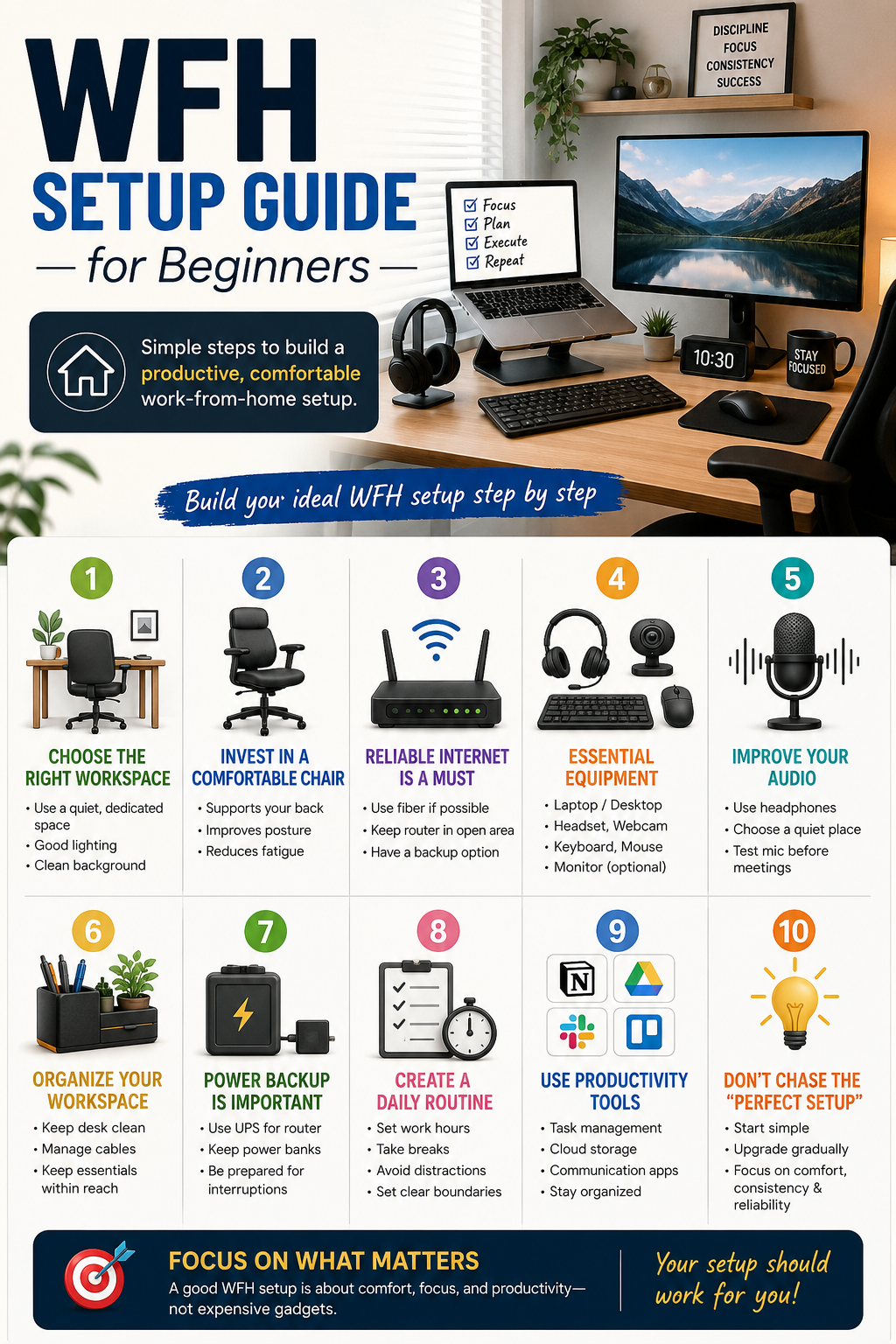
Working from home sounds simple — until distractions, slow internet, back pain, and noisy surroundings start affecting productivity. Whether you’re starting a remote job, freelancing, or running an online business, having the right setup can make a huge difference.
Here’s a beginner-friendly guide to building an efficient and comfortable work-from-home setup without overspending.
Why Your WFH Setup Matters
A proper WFH setup helps you:
✅ Stay productive
✅ Reduce stress and fatigue
✅ Improve focus during meetings
✅ Maintain work-life balance
✅ Look more professional during video calls
Even small upgrades can improve your daily workflow.
1️⃣ Choose the Right Workspace
You don’t need a fancy home office. A quiet corner with minimal distractions is enough.
Tips:
- Use a dedicated workspace if possible
- Avoid working from bed
- Choose an area with good lighting
- Keep your background clean for meetings
🌞 Natural light helps reduce eye strain and improve mood.
2️⃣ Invest in a Comfortable Chair
One of the biggest beginner mistakes is ignoring ergonomics.
A good chair helps prevent:
❌ Back pain
❌ Neck strain
❌ Poor posture
❌ Fatigue during long work hours
Budget-Friendly Improvements:
- Add lumbar support pillows
- Use a footrest
- Adjust monitor height to eye level
Your body will thank you later.
3️⃣ Reliable Internet is Non-Negotiable
Slow internet can ruin meetings, uploads, and productivity.
Recommended Tips:
- Use fiber internet if available
- Keep backup mobile data ready
- Place your router in an open area
- Use a LAN cable for better stability
For remote workers in tech, customer support, VA work, or ad operations, stable internet is essential.
4️⃣ Essential WFH Equipment
You don’t need expensive gear immediately. Start with the basics.
Beginner Setup Checklist:
💻 Laptop or desktop
🖥️ External monitor (optional but highly useful)
🎧 Noise-canceling headset
📷 Webcam
⌨️ Keyboard and mouse
🔌 Surge protector or UPS
💡 A second monitor can significantly improve multitasking and productivity.
5️⃣ Improve Your Audio for Meetings
People may forgive average video quality — but poor audio quickly becomes frustrating.
Quick Audio Tips:
- Use headphones during meetings
- Find a quiet environment
- Test your microphone beforehand
- Mute yourself when not speaking
Clear communication makes you appear more professional.
6️⃣ Organize Your Workspace
A clean workspace improves focus and reduces distractions.
Simple Desk Setup Ideas:
- Cable management clips
- Small desk organizers
- Minimal decorations
- Notebook for quick notes
- Water bottle nearby
Less clutter = better concentration.
7️⃣ Prepare for Power Interruptions
Power outages can happen unexpectedly.
Helpful Backup Options:
🔋 UPS for modem/router
🔋 Portable power station
💻 Laptop instead of desktop during outages
🔋 Fully charged power banks
This becomes especially important during meetings or deadlines.
8️⃣ Create a Daily Routine
One challenge of remote work is separating work life from personal life.
Beginner Routine Tips:
- Start work at consistent hours
- Take short breaks
- Avoid doom scrolling
- Set a clear end-of-work schedule
- Change clothes before starting work
Discipline matters more than motivation.
9️⃣ Productivity Tools You Can Use
Helpful tools for remote workers include:
📅 Calendar apps
✅ Task management tools
☁️ Cloud storage
🔐 Password managers
💬 Communication apps
Start simple and add tools gradually as your workflow grows.
🔟 Don’t Chase the “Perfect Setup”
Many beginners think they need expensive desks, RGB lighting, multiple monitors, or premium gadgets immediately.
The truth is:
A productive WFH setup is about comfort, consistency, and reliability — not aesthetics.
Start small.
Upgrade gradually.
Focus on what genuinely improves your workflow.
💡 Final Thoughts
The best work-from-home setup is the one that helps you stay comfortable, focused, and productive every day.
You don’t need the most expensive equipment to work efficiently.
Small improvements done consistently will always beat a “perfect” setup you never fully use.