
Artificial Intelligence is everywhere in 2026—but not every AI tool actually improves productivity. Many promise automation but end up adding more tabs, subscriptions, and distractions to your workflow.
For remote workers, freelancers, creators, and online professionals, the best AI tools are the ones that genuinely save time, reduce repetitive work, and help you stay focused without overcomplicating your setup.
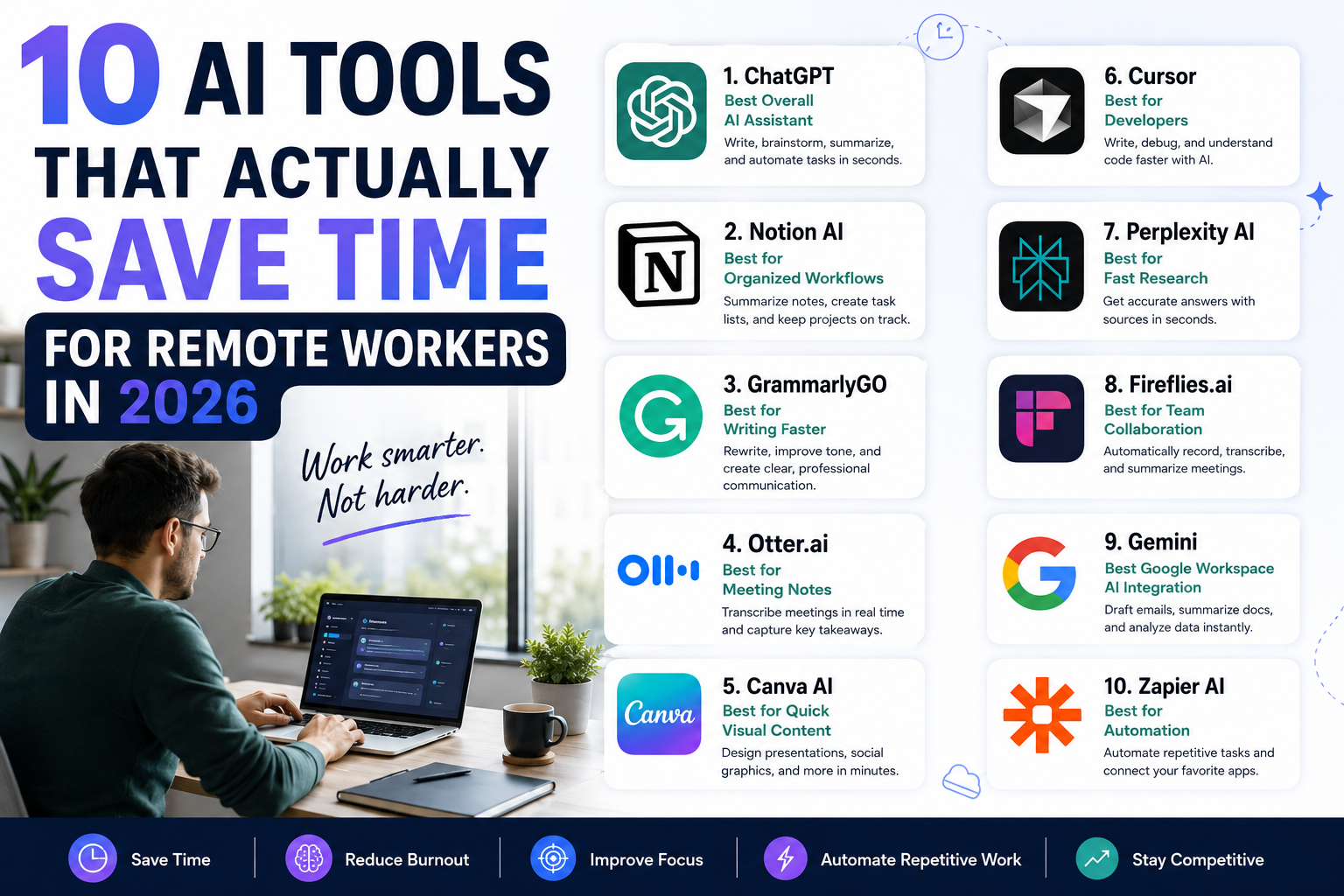
Here are 10 AI tools that are actually useful for remote workers in 2026.
1. ChatGPT — Best Overall AI Assistant
ChatGPT remains one of the most versatile AI tools available today. It can help with writing, brainstorming, coding, summarizing meetings, drafting emails, generating ideas, and even organizing workflows.
Why it saves time:
- Drafts content in seconds
- Summarizes long documents quickly
- Helps automate repetitive writing tasks
- Can act like a research assistant or coding partner
Best for:
Remote workers, bloggers, developers, marketers, and business owners.
2. Notion AI — Best for Organized Workflows
Notion AI turns notes and project management into a smarter system. Instead of manually organizing everything, AI can summarize pages, generate task lists, create meeting notes, and even rewrite content.
Why it saves time:
- Automatically summarizes notes
- Converts messy thoughts into action items
- Keeps projects organized without extra apps
Best for:
Teams, project managers, and productivity-focused remote workers.
3. GrammarlyGO — Best for Writing Faster
GrammarlyGO goes beyond grammar correction by helping rewrite emails, improve tone, and speed up communication.
Why it saves time:
- Fixes grammar instantly
- Rewrites awkward sentences
- Helps create professional emails faster
Best for:
Remote workers who constantly communicate through email, Slack, or reports.
4. Otter.ai — Best for Meeting Notes
Taking notes during meetings wastes attention and energy. Otter.ai automatically records and transcribes meetings in real time.
Why it saves time:
- Generates searchable meeting transcripts
- Captures action points automatically
- Lets you focus on conversations instead of typing
Best for:
Remote teams, online meetings, and interviews.
5. Canva AI — Best for Quick Visual Content
Canva’s AI tools now help generate presentations, social media graphics, thumbnails, and marketing materials in minutes.
Why it saves time:
- Generates design layouts instantly
- Removes backgrounds automatically
- Creates social media content quickly
Best for:
Creators, marketers, freelancers, and small business owners.
6. Cursor — Best AI Tool for Developers
Cursor has become one of the most popular AI coding assistants for developers. It helps explain code, generate functions, debug errors, and speed up programming tasks.
Why it saves time:
- Speeds up debugging
- Generates repetitive code
- Helps understand large codebases
Best for:
Developers, WordPress plugin creators, and programmers.
7. Perplexity AI — Best for Fast Research
Instead of manually searching multiple websites, Perplexity AI delivers summarized answers with cited sources.
Why it saves time:
- Faster than traditional search engines
- Summarizes complex topics instantly
- Great for quick research sessions
Best for:
Researchers, writers, students, and content creators.
8. Fireflies.ai — Best for Team Collaboration
Fireflies automatically records, transcribes, and organizes online meetings across Zoom, Meet, and Teams.
Why it saves time:
- Stores searchable meeting history
- Automatically identifies important discussion points
- Reduces manual follow-ups
Best for:
Remote teams and collaborative projects.
9. Gemini — Best Google Workspace AI Integration
Google Gemini integrates directly into Gmail, Docs, Sheets, and other Google tools.
Why it saves time:
- Drafts emails quickly
- Summarizes documents
- Generates spreadsheet insights
Best for:
People heavily using Google Workspace.
10. Zapier AI — Best for Automation
Zapier connects apps together and automates repetitive workflows without coding.
Examples:
- Automatically save email attachments to Google Drive
- Post social media updates automatically
- Sync forms with spreadsheets
Why it saves time:
- Removes repetitive admin tasks
- Connects different platforms automatically
- Reduces manual data entry
Best for:
Business owners, freelancers, and operations-heavy workflows.
The Real Productivity Secret in 2026
The biggest mistake remote workers make is trying too many AI tools at once.
The goal isn’t to automate everything—it’s to remove the boring, repetitive tasks that drain your focus and energy.
A simple AI stack often works best:
- One writing assistant
- One meeting/transcription tool
- One automation platform
- One organization tool
That’s usually enough to dramatically improve productivity without creating “AI overload.”
Final Thoughts
AI tools are no longer just experimental productivity hacks—they’re becoming part of everyday remote work.
But the best AI tools aren’t the flashiest ones. They’re the tools that quietly save hours every week while helping you focus on meaningful work instead of repetitive tasks.
Used properly, AI can help remote workers:
- Save time
- Reduce burnout
- Improve focus
- Automate repetitive work
- Stay competitive in a fast-changing digital workplace
The key is choosing tools that simplify your workflow—not complicate it.